Product
How YeetnGreet runs the job
Admins set the templates. Technicians apply them the same way every time. License reports show what to reclaim.
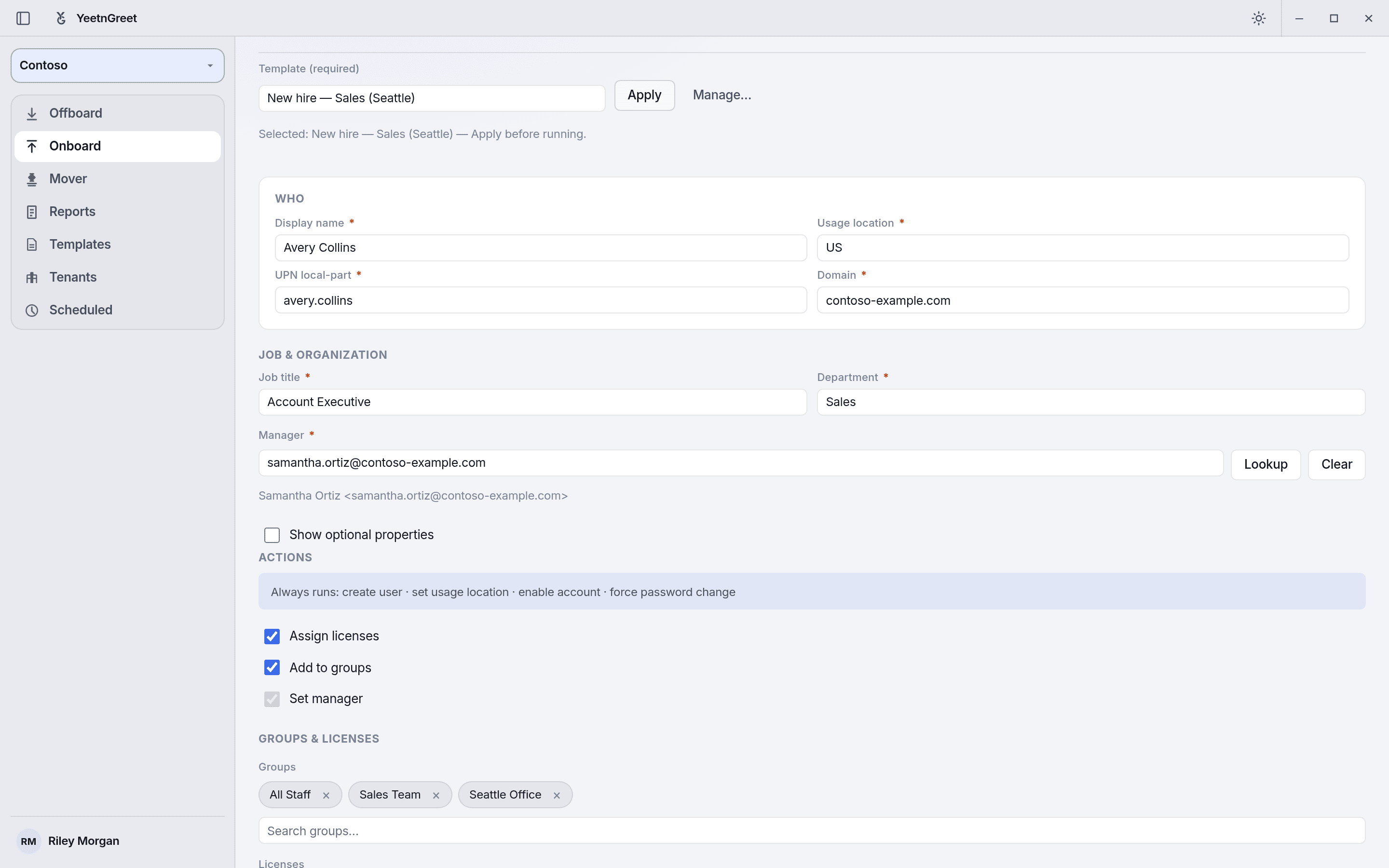
Onboarding
Same onboarding, every time.
Pick the template, then fill in the user. Required fields are enforced before the job can run, and the template sets the groups and licenses.
- Apply an Admin-made template
- Required fields enforced: display name, UPN, and usage location, plus any the Admin adds, like manager
- Groups and licenses come from the template, not memory
Offboarding templates
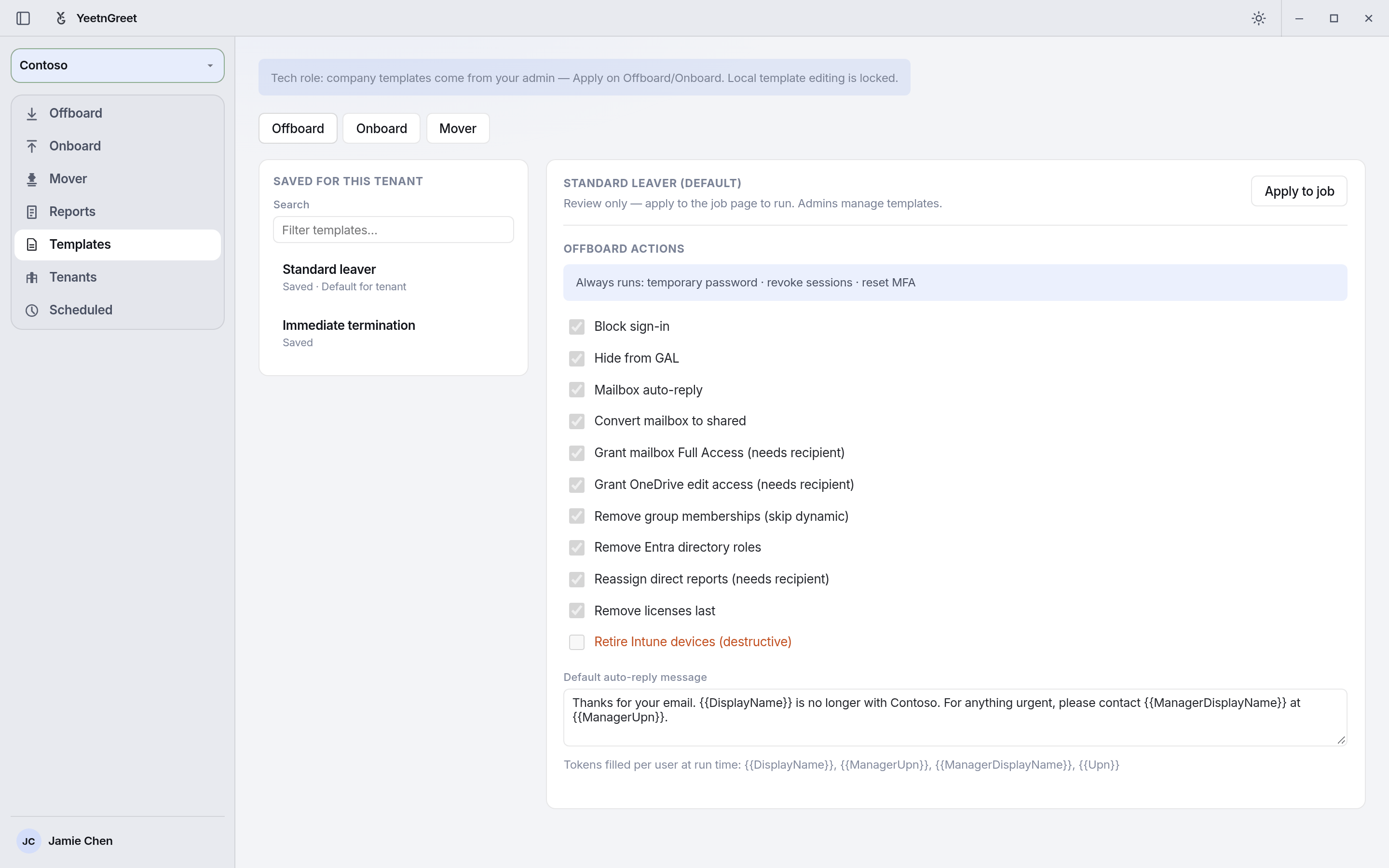
Technicians can’t change the steps.
On a Technician’s screen, company templates are review-only. The offboard actions are locked to what the Admin decided, from blocking sign-in to removing licenses last.
- Every leaver gets the same checklist
- Admins create, edit, and set the default per tenant
Offboarding
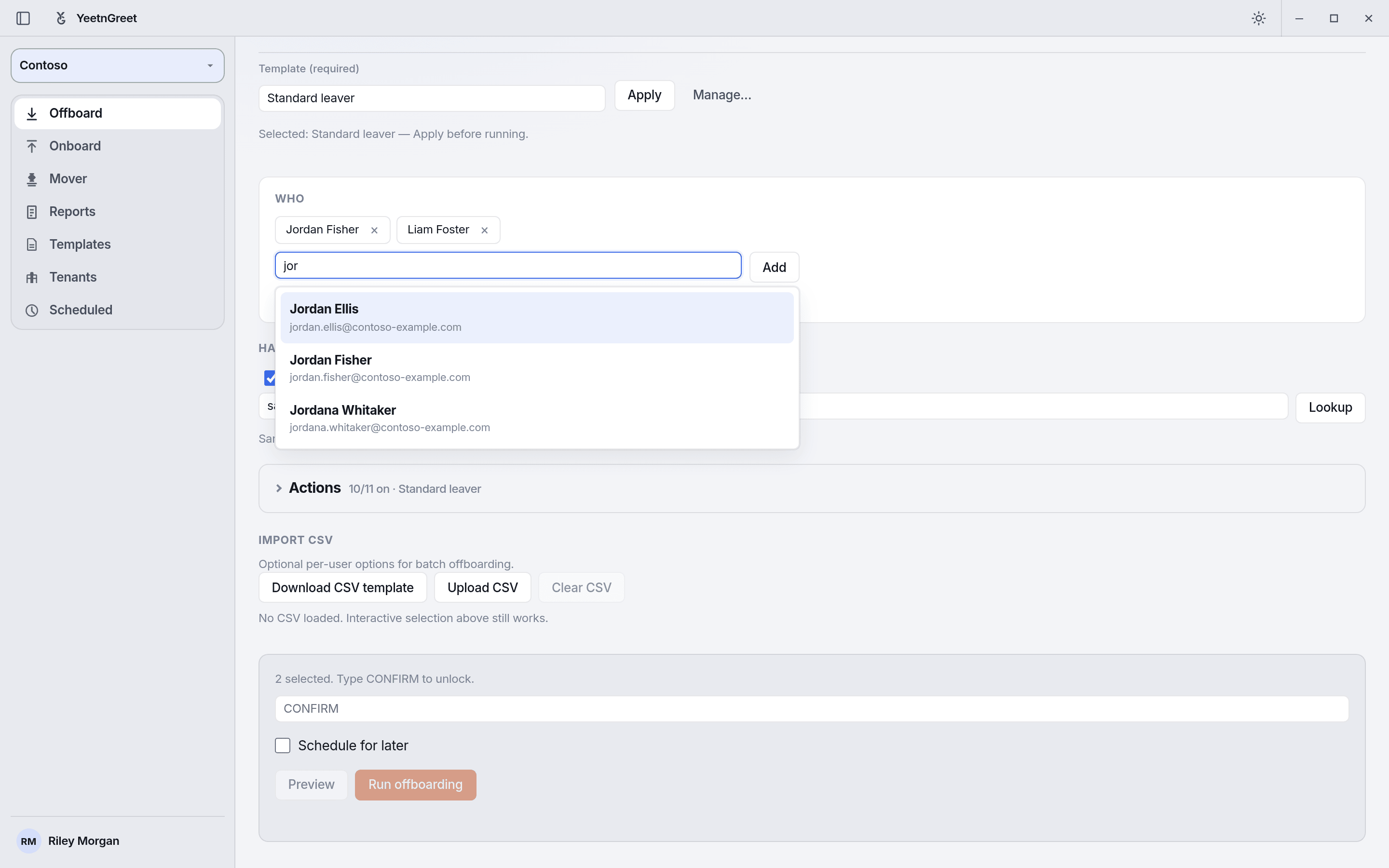
Offboard with a checklist.
Select one leaver or many, apply the template, preview the plan, then type CONFIRM to run it, or schedule it for later.
- Preview every action before anything changes
- Type CONFIRM, then run
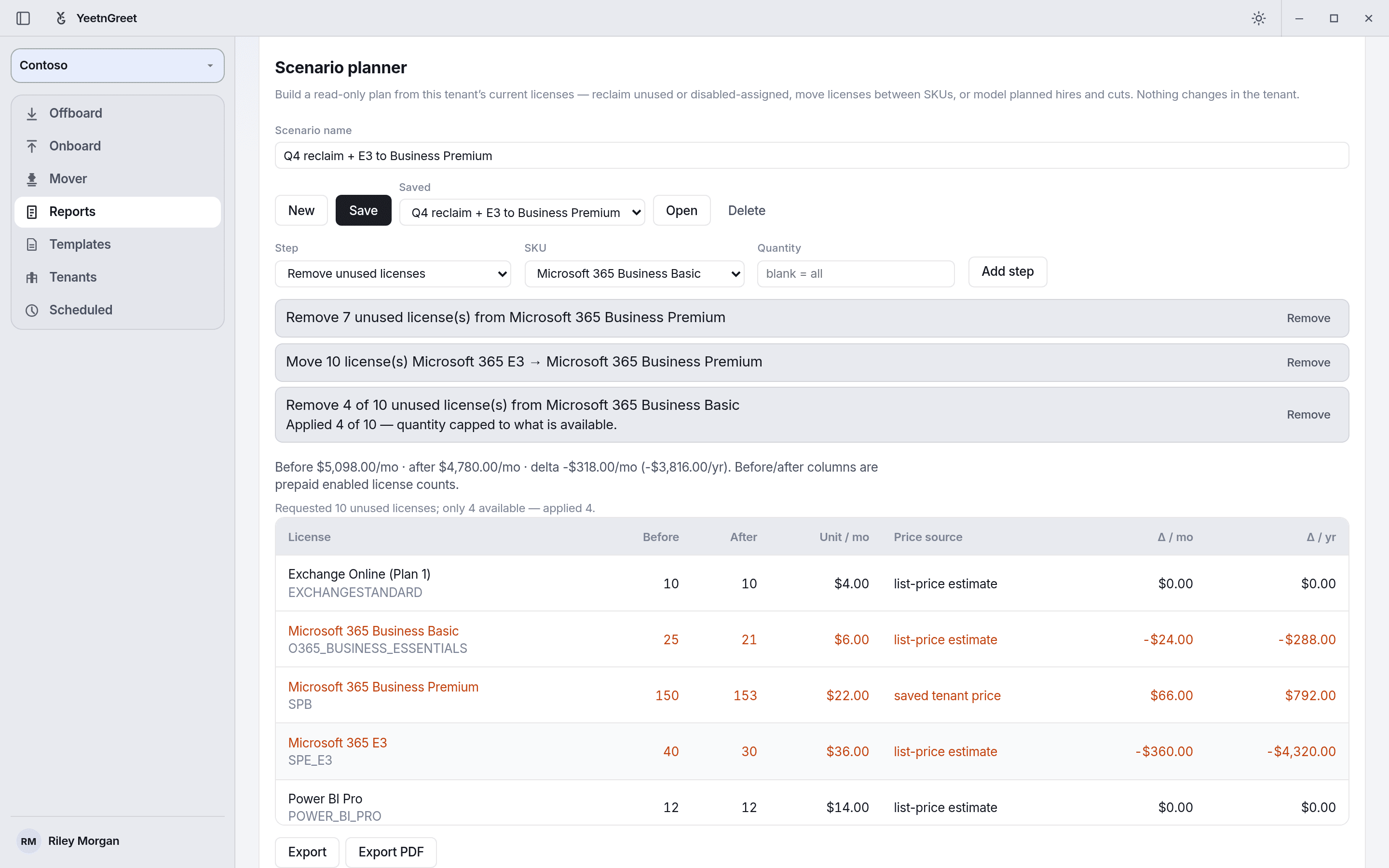
License planning
Price a plan before you buy.
Build a read-only scenario from the tenant’s current licenses: reclaim unused licenses, move licenses between SKUs, and see the monthly cost change. Nothing changes in the tenant.
- Name the scenario
- See the cost change, then save it