Offboard
Offboard one person or many. Use templates for handoff, checklist, and shared settings. Preview what will run, confirm deliberately, then go — or schedule the job for later on the same PC.
Before you start
- You are signed into the correct customer tenant
- You have the leaver’s identity (UPN / email) or a CSV for batch
- You know where mail / OneDrive / ownership should hand off
Steps
1. Open Offboard and select users
Choose a single user, multi-select from a list, or import a CSV.
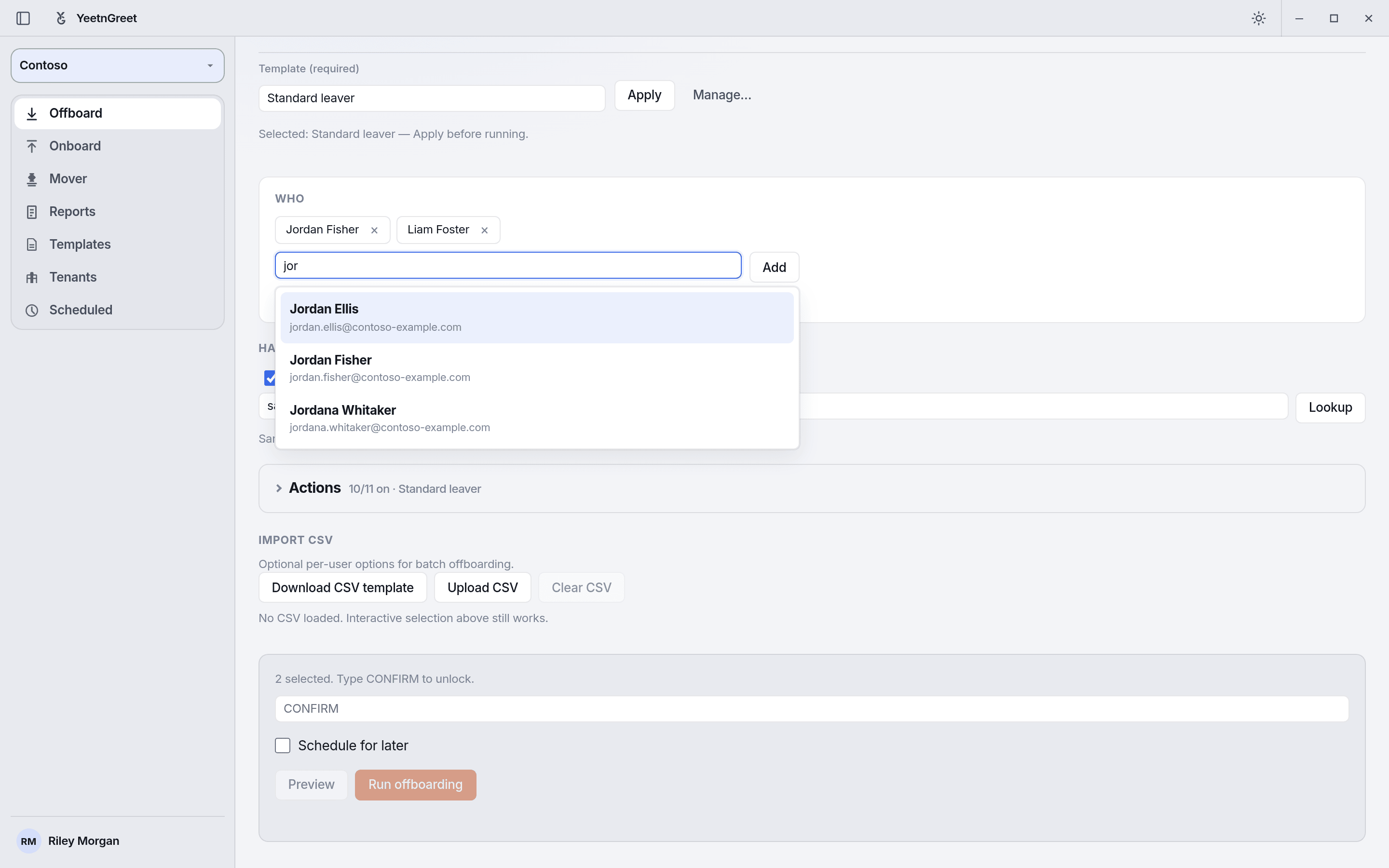 Search by name or UPN to add people to the batch; the applied template sets the actions.
2. Apply template, handoff, and checklist
- Templates capture repeatable offboard settings for a tenant. See Templates
- Handoff routes mailbox / content ownership as your process requires
- Checklist items keep the human steps visible next to the automation
3. Preview
Review the planned actions. Fix anything wrong before confirm.
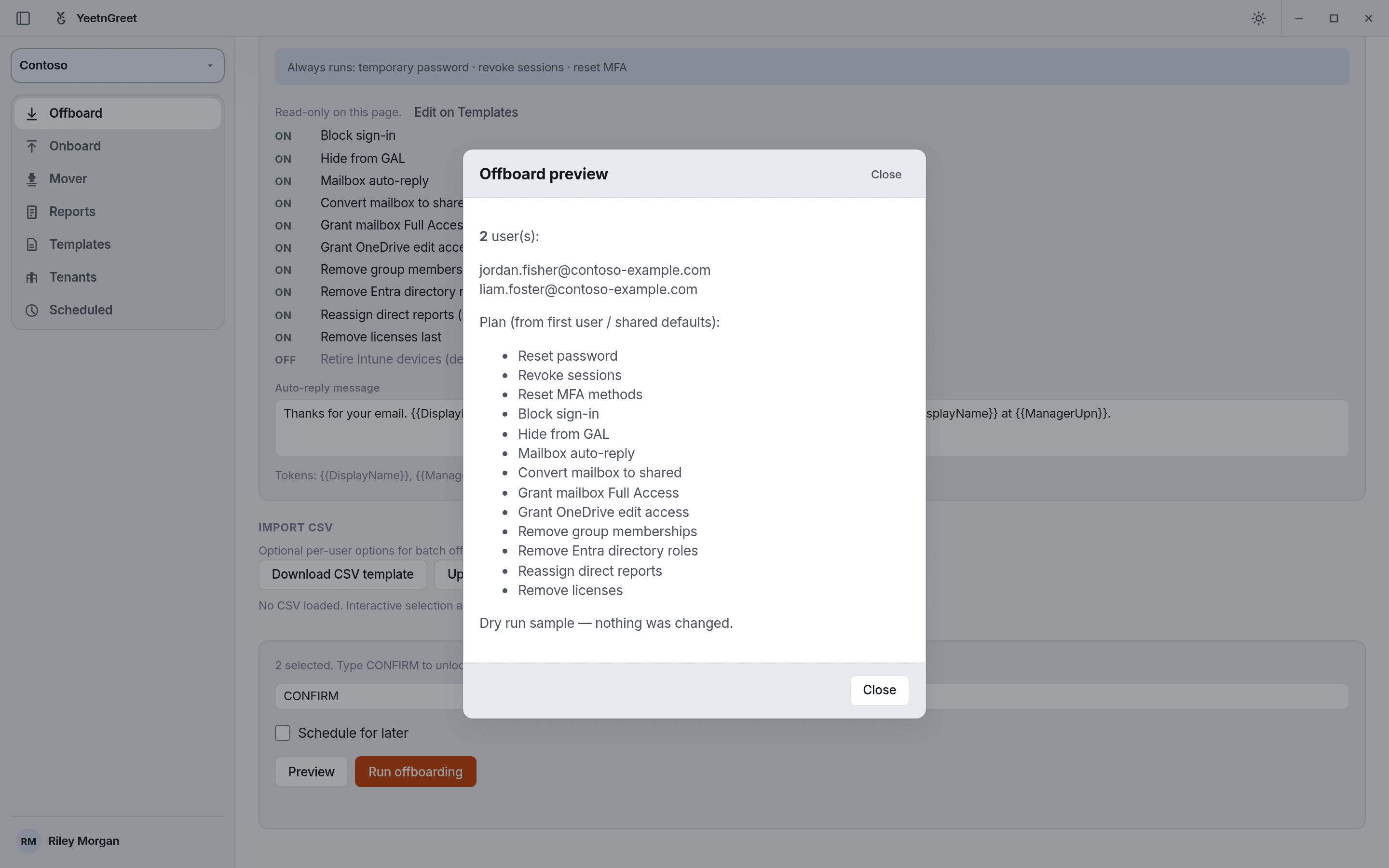 Preview is a dry run: it lists the planned actions for the batch and changes nothing. Type CONFIRM, then run.
4. Type-to-confirm
YeetnGreet asks for a deliberate confirmation (type-to-confirm) so Live offboards are hard to trigger by accident.
5. Run now or schedule
- Run now — executes on this technician PC
- Schedule — queues for a later time on this same PC (the machine must be on and signed in as required). See Schedules.
Batch tips
| Tip | Why |
|---|---|
| Validate CSV columns first | Bad UPNs fail loudly mid-batch |
| Use one template per customer standard | Keeps handoff and checklist consistent |
| Preview a single row before full CSV | Catches tenant / license surprises early |
Live means Live
After confirm, Graph changes happen in the customer tenant from this PC. Double-check tenant and users.