Unused licenses
Find prepaid licenses that are not assigned, and licenses still stuck on disabled accounts — before the renewal meeting.
In the app this is the Unused / Disabled columns on the license report’s What-if table (not a separate Reports submenu).
Signals
| Signal | Meaning |
|---|---|
| Unused | Prepaid enabled licenses minus consumed (available capacity you are still paying for) |
| Disabled | License assignments on accounts with sign-in blocked |
| No mail (90d) | Enabled licensed users with no send/receive/read in the mail activity window — shown under User licensing for review. Not priced as reclaim because inactive is not confirmed waste. |
When to use it
- Monthly license hygiene
- After offboard waves (catch stragglers still licensed while disabled)
- When finance asks “where can we cut?”
Steps
- Select the tenant and sign in
- Open Reports → Run license report
- On What-if, review Unused and Disabled per SKU
- Open User licensing for named disabled+licensed and no-mail users
- Validate in the Microsoft 365 admin center before you remove SKUs or reduce quantities
- Export or deliver if needed
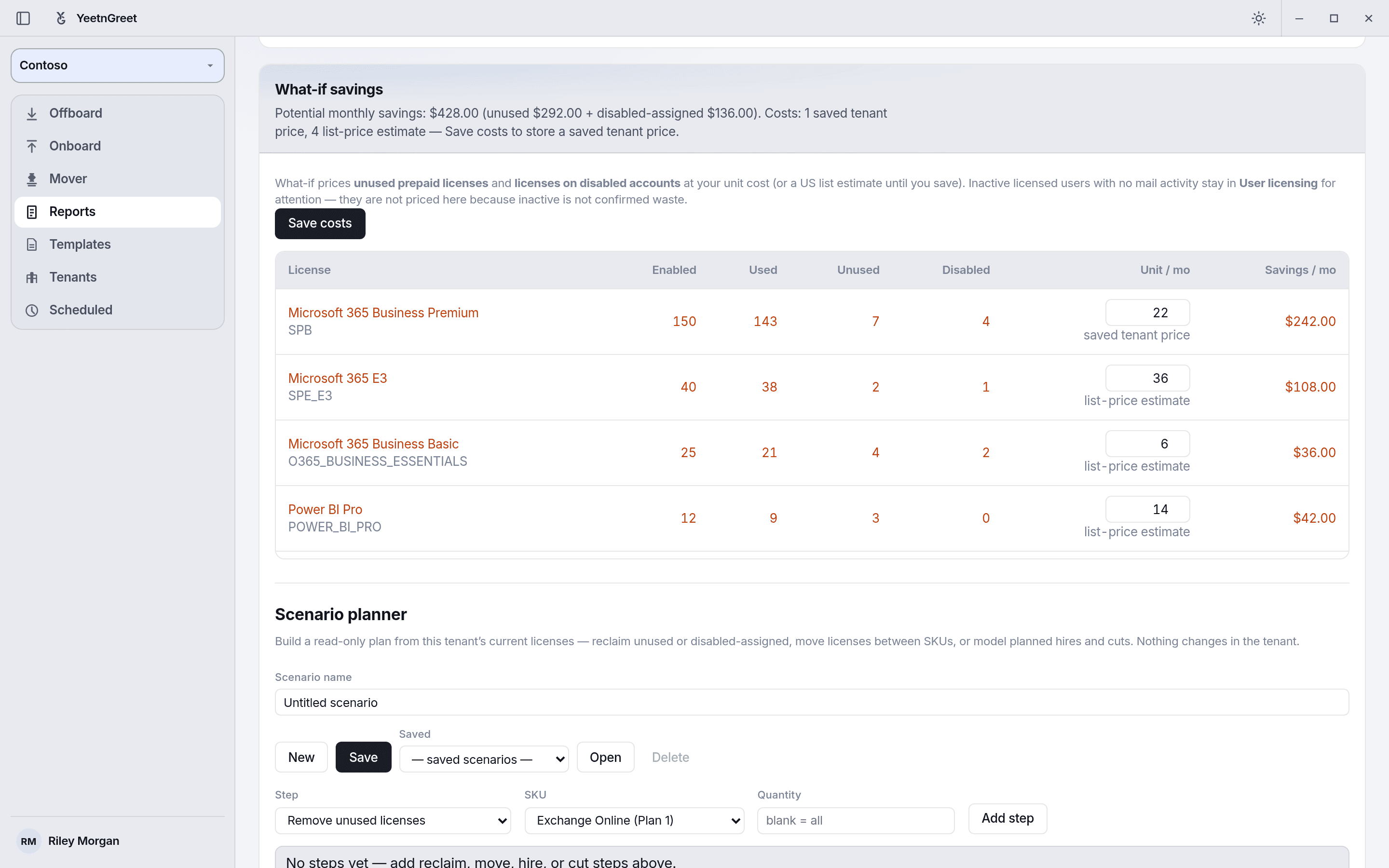 Unused and Disabled columns per license, with the monthly savings for each.
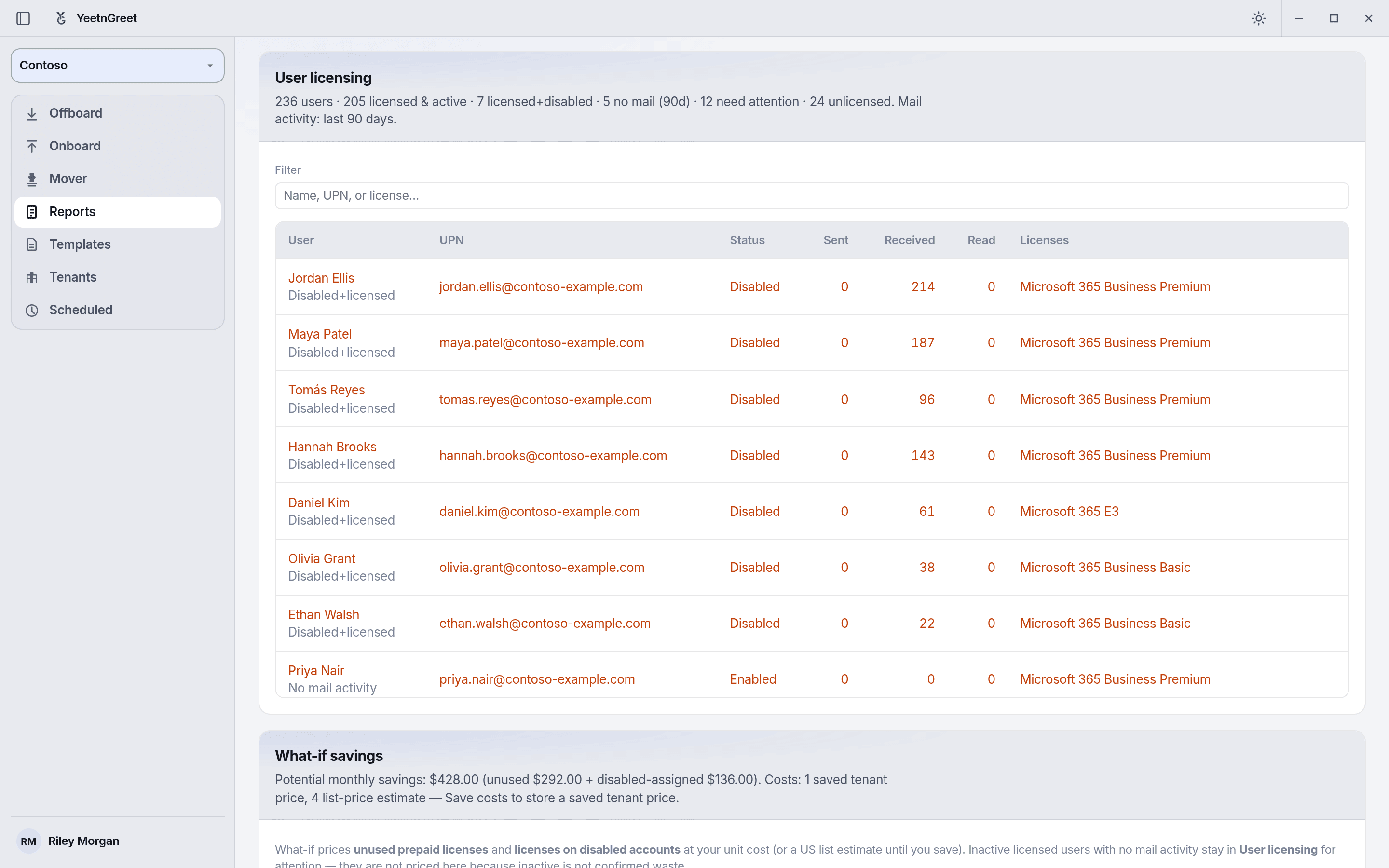 User licensing names the people behind the numbers: disabled but still licensed, or no mail in 90 days.
Validate before reclaim
Unused and disabled signals are a starting point. Confirm with your process (shared mailboxes, break-glass accounts, seasonal staff) before you remove SKUs. Sample savings on the marketing site are examples only — not a guarantee.
Pricing the reclaim
Pair this view with What-if: set unit costs, then read Savings / mo for each license (unused plus disabled licenses, times the unit price). Use the scenario planner on the same card to model reclaim steps without changing the tenant.