Multi-tenant
Switch between the Microsoft 365 tenants on your account without mixing up context — as long as you confirm the active tenant before Live work. Licensed users are pooled across all tenants on the account for billing.
Switching tenants
- Open the tenant switcher in YeetnGreet
- Select the tenant you are about to work on
- Confirm domain / display name matches the ticket
- Continue with onboard, offboard, or reports
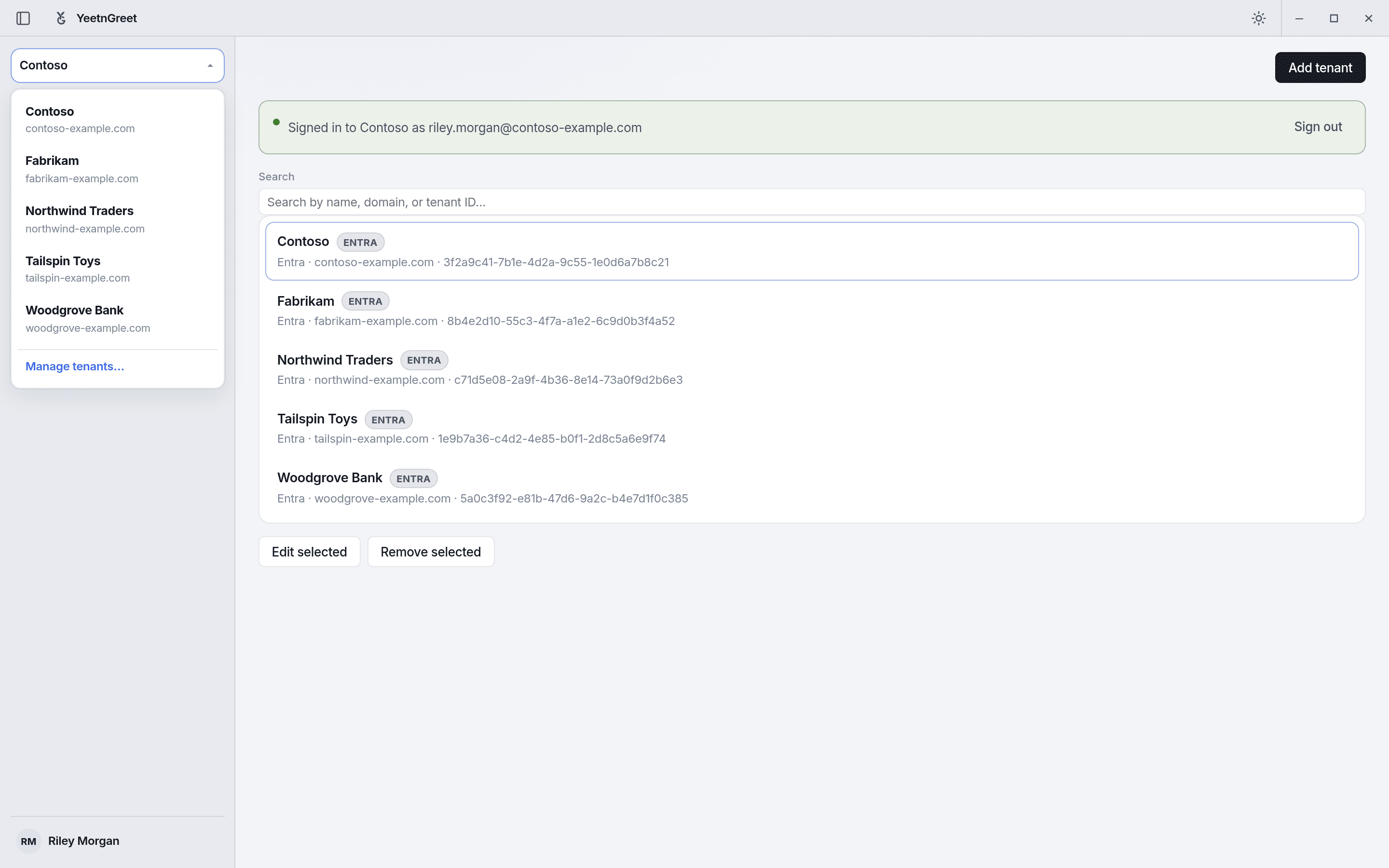 The tenant switcher in the left rail. Every job and report runs against the tenant shown here.
Wrong-tenant rule
Preview and type-to-confirm protect actions, but they do not fix picking the wrong organization. Habit: read the tenant name before every confirm.
Plan limits
| Plan | Managed tenants |
|---|---|
| Free | 1 |
| Paid plans (Starter and above) | Multiple tenants; licensed users pooled across the account |
See Pricing and licensing for licensed-user bands and prices.